
Powerful antispam filter for Outlook and Outlook Express
Spam is one the most annoying plagues in today's technology world, along with other similar "diseases" such as spyware, viruses and the like. Luckily there are also powerful tools to avoid them, such as SPAMfighter.
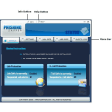
SPAMfighter is a spam filtering utility that's embedded in your email client as a new toolbar. It currently works with Microsoft Outlook, Outlook Express and Mozilla Thunderbird (plus support for Exchange server) and it can be configured in a snap.
Once installed, SPAMfighter analyzes every email message that enters the system in search of spam. If the message passes the filter, it'll appear in your inbox. If not, it usually ends up in the spam folder. SPAMfighter also gives you the chance to create blacklists and whitelists, which make sure certain spammers are always detected, as well as saving valid messages from SPAMfighter's filters.
The filter used by SPAMfighter can be set to different sensitivity values, from very relaxed to very strict. Though the filter is not perfect and may put a legitimate message in the spam folder from time to time, it's also being constantly improved with new spam messages and senders contributed by thousands of SPAMfighter users worldwide.
Eradicate spam from your inbox with a powerful filtering tool that learns from its own users' experience.
Support for 64 bit OutlookUpdated framework (Client toolkit)Improvements to Outlook pluginImproved installerSupport for Mozilla Thunderbird 3.1 and Microsoft Outlook 2010
Changes
Support for 64 bit OutlookUpdated framework (Client toolkit)Improvements to Outlook pluginImproved installerSupport for Mozilla Thunderbird 3.1 and Microsoft Outlook 2010






























User reviews about SPAMfighter
Have you tried SPAMfighter? Be the first to leave your opinion!